Love This Blog? Sign Up for Our Newsletter for More
SignupNo items found.


LeadStreams are PhoneBurner’s lead distribution engine, designed to help teams get the right leads to the right reps at the right time.
From shared lead pools to round-robin lead delivery, LeadStreams give admins remarkable flexibility over how leads are distributed, recycled, and worked across different stages of outreach, without relying on manual assignment or constant CRM cleanup.
Today, we’re introducing recycle limits, a new LeadStream setting that gives teams more control and eliminates extra work moving leads from one stage of an outreach cadence (e.g. hot leads) to another (e.g. aging lead/nurture).
Recycle rules already control what happens when a lead is distributed but not reached.
Admins can set a recycle time (in days, hours, or minutes) for those leads to return to the pool or LeadStream for redistribution. This helps ensure leads don’t sit idle and are attempted again before they go cold.
Related: A Free Prospect Touchpoint Tracker Generator for Sales Teams
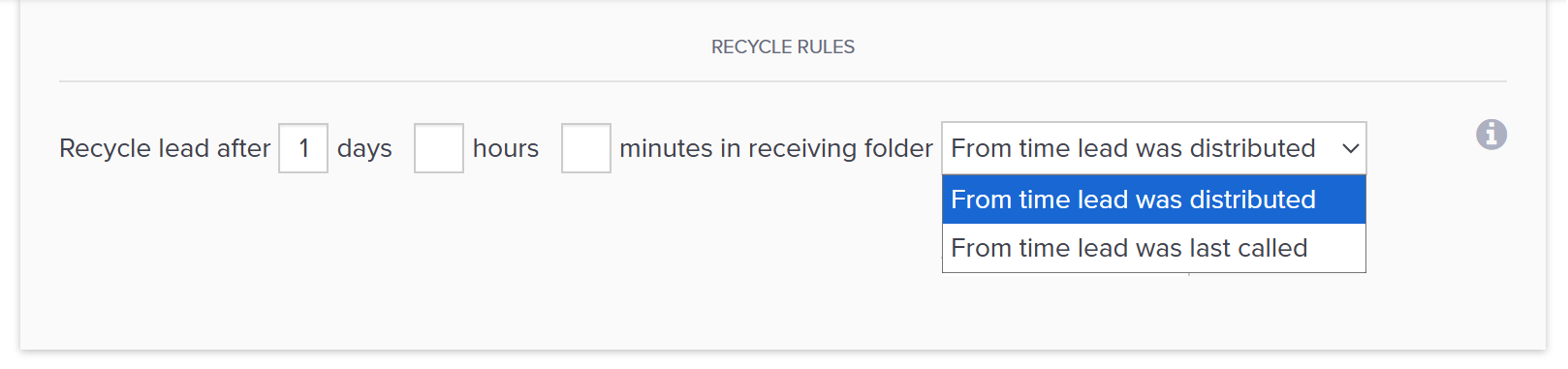
Until now, recycled leads would continue circulating in the same LeadStream until reached, or until the admin used a saved search to manually move them into another bucket, or “cascading” LeadStream with different pacing, agents, and/or messaging.
In other words, teams could manage lead progression effectively, but doing so required manual effort to keep everything in sync.
Recycle limits change that.
With recycle limits, you can now set a maximum number of times a lead can be distributed within a LeadStream, at which time the lead is automatically moved to the folder or LeadStream you choose.
This makes it easier to let each LeadStream focus on a specific phase of outreach, while lead progression happens automatically in the background. You still design the strategy; recycle limits simply automate the handoff.
Recycle limits are optional and do not change existing LeadStreams unless you enable them.
Let’s say you set up a Hot Leads LeadStream designed for fresh leads - contacts who just launched a trial of your product. This LeadStream can be configured for more frequent follow-up while a lead is new and time-sensitive.
You may want these leads to be:
Following these 3 attempts, you may want the lead to move into a Nurture LeadStream that uses a slower pace, different agents, or different messaging (e.g. phone scripts, voicemails, emails) such as “Need help? We’re here if you need us,” which is better suited for leads that need more time.
Related: How to Better Manage Your Sales Leads
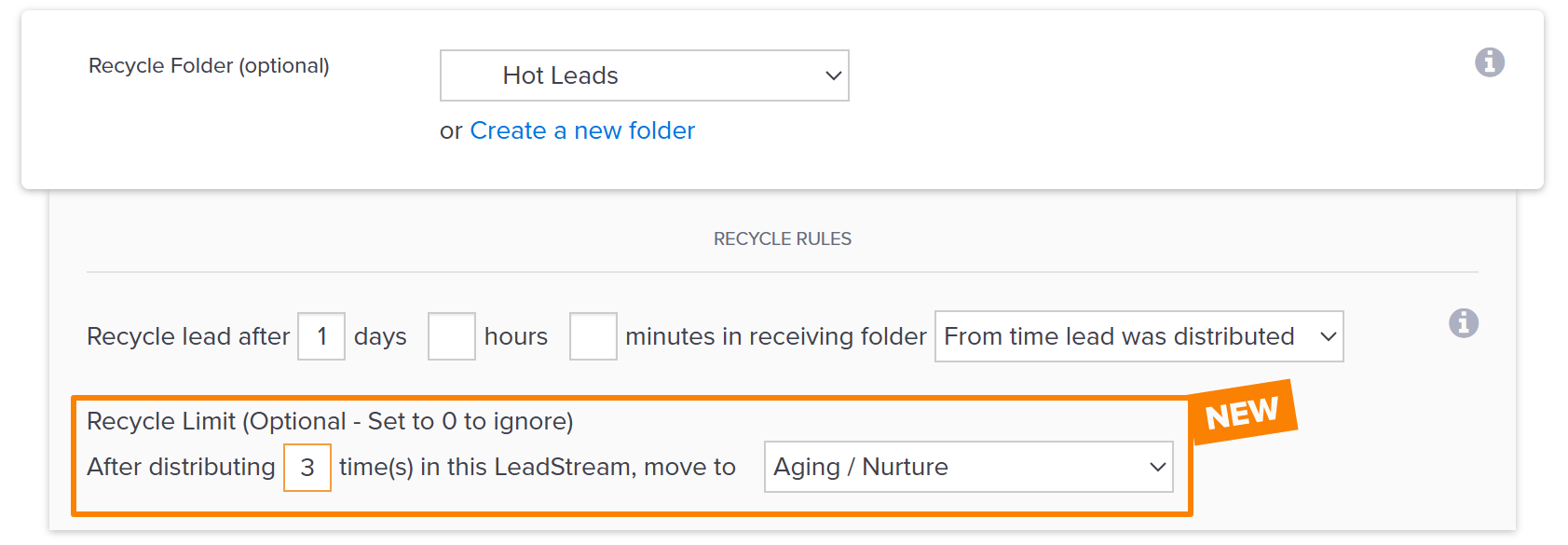
Before recycle limits, teams handled this by running saved searches or manually moving leads between LeadStreams to ensure the transition happened at the right time.
With recycle limits, that handoff happens automatically.
Ready to build a LeadStream with recycle limits, or add them to an existing one?
Start by going to Settings → Contacts → LeadStream.
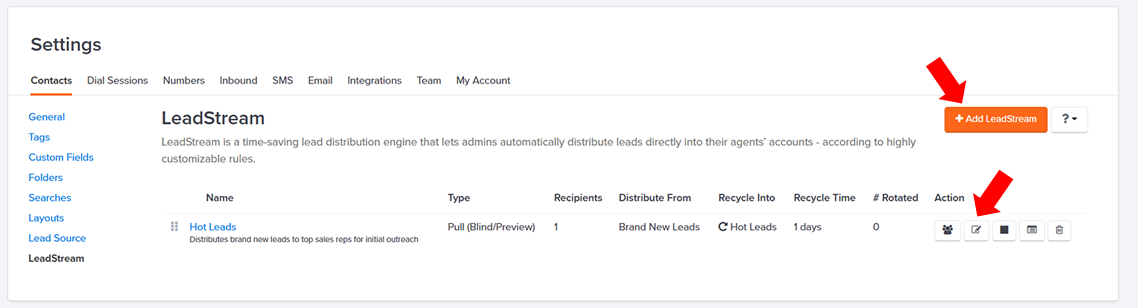
From here, you can select + Add LeadStream to create a new LeadStream, or use the edit icon to update an existing one.
When creating or editing a LeadStream, you first define the basics, including the LeadStream name and description. From there, you choose how leads should be distributed based on how your team works.
Distribution options include:
Next, you specify where leads come from and where they should live during distribution. This includes selecting a distribution folder, a receiving folder for agents, and an optional recycle folder that determines where leads return if they are not reached.
Once those pieces are in place, you can define your recycle rules. These rules control how long—in days, hours, and/or minutes—a lead stays with an agent before being redistributed.
Recycle limits appear here.
Within the recycle rules section, you can now set a recycle limit that determines how many times a lead can be distributed within that LeadStream, and where it should move once that limit is reached.
Everything else about your LeadStream stays the same. Recycle limits simply add an automated handoff at the point where teams previously relied on manual steps.
Effective outreach today requires a more thoughtful approach than ever before. Better lead selection, strong number reputation, well-timed cadences, and the ability to stay persistent without becoming a nuisance all play a role in driving real conversations.
PhoneBurner, along with LeadStream, is purpose-built to support that kind of outreach. We help reps make more calls and better calls, more efficiently, without wasted effort.
Interested in learning how our power dialer can help you increase live connections?
Start a free trial and get a demo today.
LeadStream is PhoneBurner’s automatic lead distribution engine. It’s a flexible system that gives admins control over how leads are delivered to reps, how they are recycled when not reached, and how they move through different stages of outreach. LeadStreams give teams structure and automation so leads are worked consistently without manual assignment or cleanup.
LeadStreams are essentially folders with highly customizable delivery rules. As leads enter the folder, participating reps get automatic access to the leads they need. LeadStreams eliminate the need for manual lead distribution while optimizing speed-to-lead and follow-up pacing to improve lead value and ROI.
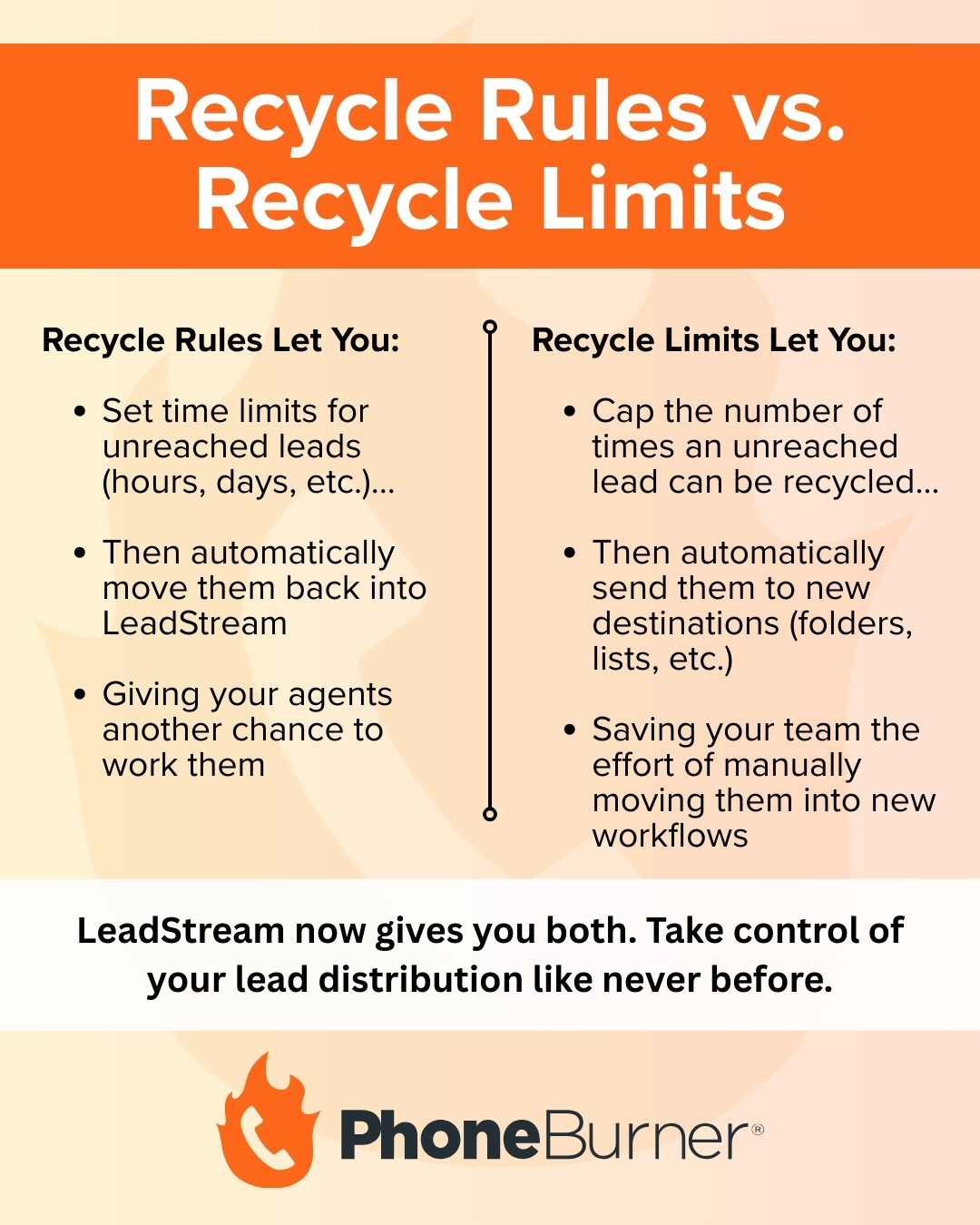
Recycle rules control what happens when a lead is not reached, including how long it stays with a rep before it is eligible to be redistributed. Recycle limits are a new setting that define how many attempts can be made within one LeadStream before a lead is removed or moved to another LeadStream with different agents, pacing, or messaging.
Recycle limits are especially useful for teams that use multiple LeadStreams to manage different stages of outreach. If you want leads to transition automatically from one phase of engagement to another—for example, from a “Hot Leads” stage to a “Nurture” stage with different pacing or agents—recycle limits make that handoff automatic instead of requiring saved searches or manual cleanup.
Yes. Recycle limits are optional and can be added to any LeadStream without changing its existing behavior unless you turn them on.
Once a lead reaches its recycle limit, it is moved automatically to the folder or LeadStream you specify. From there, it continues to be worked according to that destination’s settings.



.png)
.jpg)


.png)