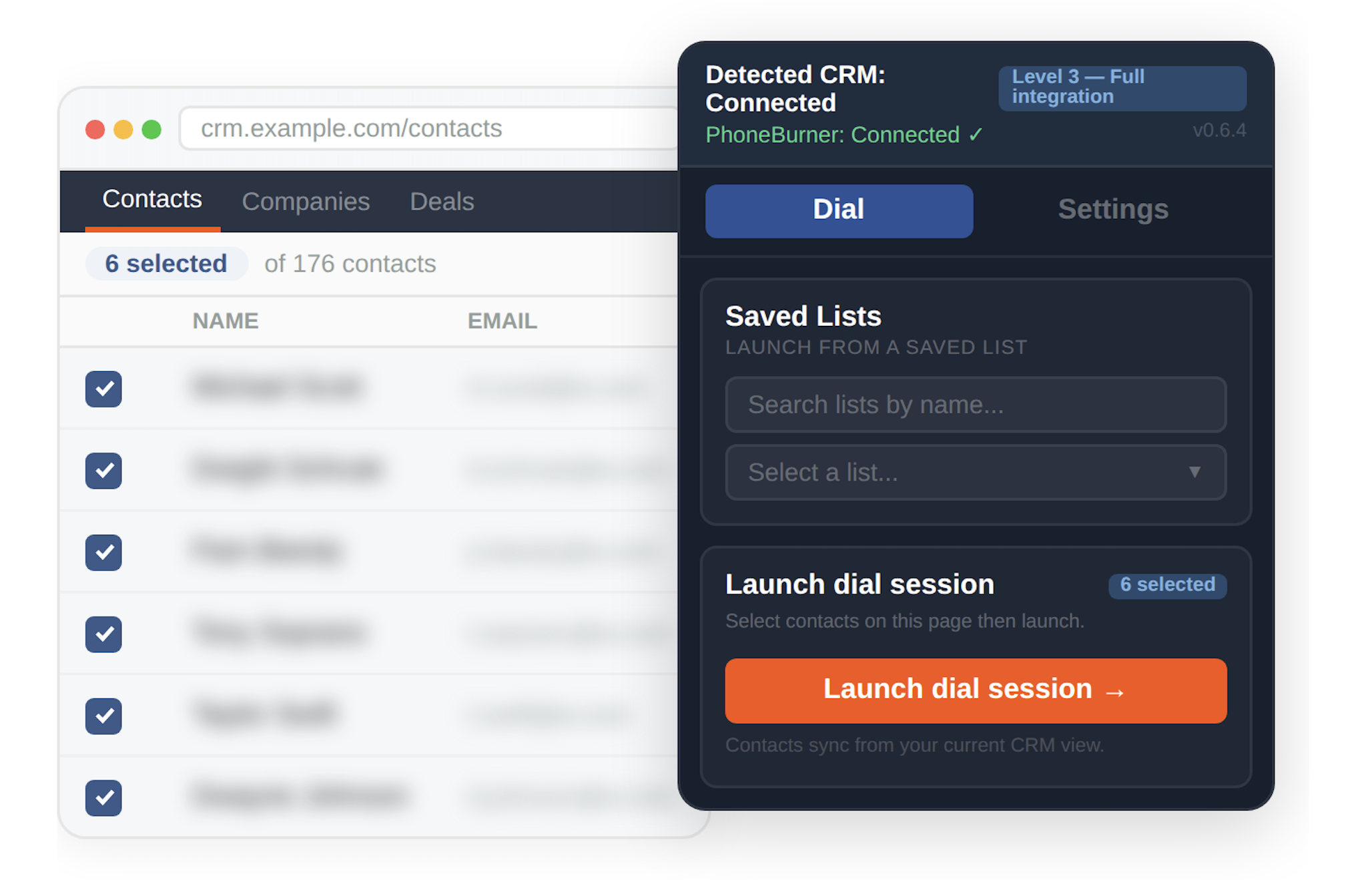
From deep native integrations to flexible custom connections, PhoneBurner works with the tools your team already uses to keep contacts, calls, and activity in sync.
Don't worry. PhoneBurner can connect you with virtually any tool via Chrome extension. Start a free trial and book a demo to learn more.

| Name | ||
|---|---|---|
| Michael Scott | [email protected] | |
| Dwight Schrute | [email protected] | |
| Pam Beesly | [email protected] | |
| Tony Soprano | [email protected] | |
| Taylor Swift | [email protected] | |
| Dwayne Johnson | [email protected] |


Most likely, yes. PhoneBurner offers native integrations with popular CRMs like Salesforce, HubSpot, Zoho CRM, Close, monday.com, SugarCRM, GoHighLevel, and others. For CRMs not on the list, PhoneBurner can connect via a Chrome extension, Zapier, webhooks, or API. Curious about a particular CRM? Reach out and we'll tell you what's available.
It depends on your CRM, but with a high degree of likelihood, yes. The native integrations and Chrome extension empower you to dial directly from your CRM of choice — no tab switching required. For other CRMs, PhoneBurner offers a flexible sync, making it easy to keep your system fully updated as you dial without double work. Webhooks, API, and Zapier connections bring even greater flexibility to help you accomplish virtually any workflow you imagine.
It depends on your integration. With native integrations like HubSpot and Salesforce, call activity — including notes, dispositions, and recordings — is automatically logged back to the contact record in your CRM. For other connected CRMs, sync behavior varies by integration. And for CRMs accessed via the Chrome extension, PhoneBurner follows along as you dial, so you can update records and add notes directly in your CRM in real time — no double entry required.
Yes. PhoneBurner's Zapier integration connects your dialer to thousands of apps — no coding required. Common uses include auto-importing leads from Facebook Lead Ads, web forms, or other sources directly into PhoneBurner, and pushing call outcomes, notes, and contact updates to your CRM or other tools after each call (webhooks are another great option for this). If you can't find a native integration for your stack, Zapier can be a fast path to a connected workflow.
Not usually. Our integrations are designed to be set up without technical help. Zapier connections and webhooks are similarly no-code. A developer may be helpful if you are looking to set up a custom API integration or automate more complex workflows. Our helpful team and support resources are always available to help you evaluate options and get yourself set up in a way that works for your process.
Yes. Using PhoneBurner's webhooks or API, you can automatically push contacts to your CRM based on call outcome. For example, you might send only contacts who expressed interest, booked a meeting, or hit a specific disposition — so your CRM stays clean and focused on the leads that matter. Use PhoneBurner’s built-in CRM to power your outbound, then move qualified contacts back into your CRM for further follow-up.